

educational minecraft is a powerful example of how video games can become learning tools when they are used with clear educational goals. Minecraft allows players to build structures, explore virtual environments, collect resources, solve challenges, and create their own worlds. These activities can encourage creativity, logical thinking, collaboration, and problem-solving among students.
Traditionally, learning often takes place through textbooks, classroom discussions, and written assignments. While these methods remain important, interactive games can provide another way for students to understand complex ideas. Minecraft offers an environment where learners can experiment, make mistakes, test solutions, and see the results of their decisions.
Teachers and parents can use Minecraft-inspired activities to introduce subjects such as mathematics, science, history, geography, architecture, and computer programming. However, the educational value depends on how the game is used. Playing without a learning objective may provide entertainment, while a carefully planned activity can connect gameplay with meaningful educational outcomes.
This guide explains what educational Minecraft is, how it works, its main benefits, classroom applications, and practical ways to use it for learning.
What Is Educational Minecraft?
Educational Minecraft refers to using Minecraft as a tool for teaching and learning. Instead of focusing only on entertainment, players complete activities designed to develop knowledge and practical skills.
Minecraft is a sandbox video game in which players interact with a world made from blocks. They can construct buildings, explore landscapes, create tools, manage resources, and experiment with different designs.
The game offers several opportunities for educational activities, including:
- Building models of historical landmarks and famous buildings.
- Exploring mathematical concepts through shapes, measurements, and coordinates.
- Creating science projects involving ecosystems, renewable energy concepts, and environmental systems.
- Learning introductory coding and computational thinking.
- Working in teams to design shared projects.
- Practicing planning, research, and creative problem-solving.
Minecraft Education is a separate educational version designed for learning environments. It includes classroom-oriented features and learning experiences that can help educators organize activities around specific subjects. Availability and features may depend on the platform, account, and current licensing arrangements.
Regular Minecraft can also inspire educational projects, but teachers should choose the version that best fits their learning objectives, technical resources, and student needs.
How Minecraft Supports Learning
Minecraft encourages active participation. Rather than simply reading about a topic, students can construct, test, and explore representations of ideas.
For example, a mathematics lesson about area and volume can involve building structures with blocks. A history lesson might ask students to recreate a historical settlement after researching its architecture. A science project could involve designing a sustainable village and explaining how its resources are managed.
This approach can make abstract concepts easier to discuss because students have a visible project to examine.
Learning Through Exploration
Players can experiment with materials, structures, and systems in a virtual environment. They can test different approaches and observe what happens.
A student who builds a bridge, for example, may need to rethink the design if it does not meet the project’s requirements. This process encourages observation, planning, revision, and reflection.
Learning Through Creation

Minecraft gives students opportunities to turn ideas into digital models. They can create houses, farms, cities, landscapes, monuments, and imaginative environments.
These projects encourage learners to make decisions about design, resources, layout, and functionality. Students can also explain their choices through presentations, reports, or group discussions.
Learning Through Collaboration
When students work together on a shared world, they may divide responsibilities, discuss ideas, solve disagreements, and coordinate their efforts.
One student might plan the design, another might collect information, and another might construct the project. Such activities can provide practice in communication, teamwork, and project management.
Main Educational Benefits of Minecraft
Minecraft can support several areas of learning when activities are age-appropriate and connected to clear objectives.
1. Improves Problem-Solving Skills
Many Minecraft projects require players to overcome challenges. They may need to find suitable materials, organize resources, design stable structures, or solve problems within a limited space.
Students can learn to identify a challenge, consider possible solutions, test an idea, and improve their work based on the results.
These habits can also be applied to classroom assignments and everyday situations.
2. Encourages Creativity and Imagination
The game’s building mechanics allow students to develop their own designs. They can create realistic models, futuristic cities, fantasy environments, or practical solutions to imaginary problems.
Open-ended assignments are especially useful because students can approach the same challenge in different ways.
For example, a teacher might ask students to design an environmentally friendly school. One student may focus on gardens, while another may plan water collection or energy-efficient buildings.
3. Introduces Coding and Computational Thinking
Minecraft-based educational activities can introduce ideas such as sequences, instructions, logic, and automation.
Depending on the edition and available tools, students may explore coding through visual programming blocks or supported programming languages. They can learn how instructions produce actions and how errors can be identified and corrected.
Coding activities may include automating simple tasks, moving characters, or creating repeatable building instructions.
4. Supports Mathematics Learning
Minecraft’s block-based world provides opportunities to explore numbers, measurements, coordinates, geometry, and patterns.
Students can calculate the dimensions of a building, estimate the number of blocks needed for a wall, compare shapes, or map the location of objects.
For example, a project requiring a rectangular room that is 8 blocks long and 5 blocks wide can introduce area:
Area = length × width
Area = 8 × 5 = 40 square units.
Teachers can extend this activity by asking students to calculate the area of floors, compare building dimensions, or estimate the materials required for larger structures.
5. Builds Communication and Teamwork
Collaborative building projects encourage students to explain their ideas and listen to other people’s suggestions.
Students can practice dividing a large task into smaller responsibilities, agreeing on a design, and presenting the final result.
Teachers can assess these skills through observation, reflection questions, group presentations, and project reports rather than relying only on the completed virtual structure.
6. Encourages Persistence
A complex project may require multiple attempts before it works as intended. Students may need to change their design, gather additional information, or revise their plans.
This process can help them understand that mistakes are part of learning. Teachers can strengthen this lesson by asking students to explain what they changed and why.
Educational Minecraft Activities for Different Subjects
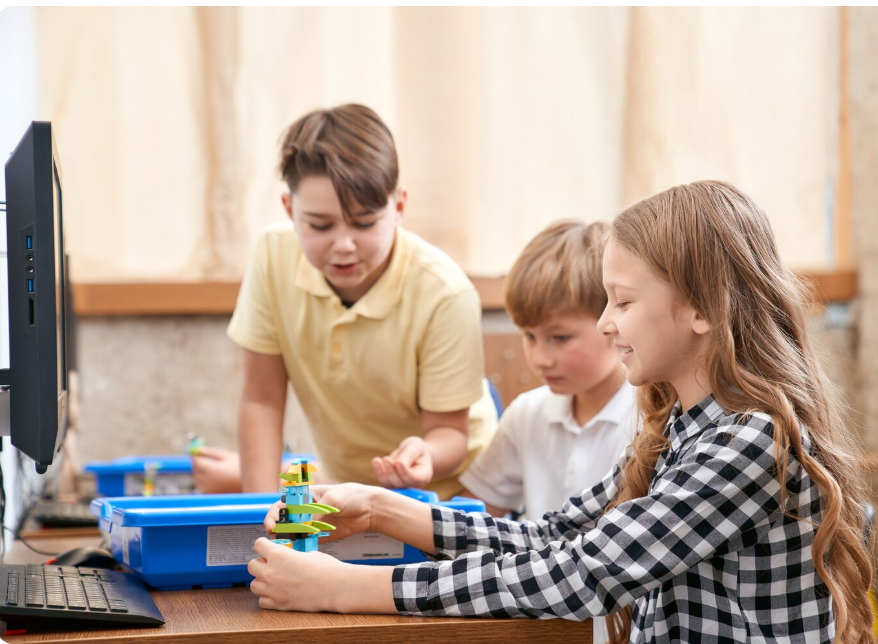
Minecraft can be adapted to many subjects. The most effective activities connect what students build or explore with a specific learning outcome.
| Subject | Example Minecraft activity | Learning objective |
|---|---|---|
| Mathematics | Build rooms using specified dimensions | Practice measurement, area, and geometry |
| Science | Design an ecosystem or sustainable settlement | Explore habitats, resources, and environmental relationships |
| History | Recreate a historical building or settlement | Investigate historical architecture and daily life |
| Geography | Create a model of a landscape | Study terrain, landforms, and spatial relationships |
| Computer science | Complete a supported coding challenge | Understand instructions, sequences, and logic |
| Language arts | Build a setting from a story | Develop comprehension, description, and storytelling |
| Art and design | Create a themed sculpture or building | Explore composition, colour, symmetry, and design |
| Economics | Manage resources for a community project | Discuss budgeting, scarcity, planning, and trade-offs |
Mathematics Projects
Teachers can ask students to design a house with a specified floor area or construct a symmetrical pattern.
Students may calculate dimensions before building and then compare their plans with the finished structure. This gives them a practical reason to use mathematical calculations.
Science Projects
A virtual ecosystem can help students represent relationships between plants, animals, habitats, and resources. Students can explain how changes to one part of their model might affect other parts.
A sustainable village project can introduce discussions about resource management, food production, land use, and environmental responsibility. The model should be supplemented with scientific explanations because a simplified game environment does not always represent real-world systems accurately.
History and Geography Projects
Students can research a historical landmark, map, or settlement before creating a model. They can explain why the location was selected, what materials were used historically, and how the environment influenced construction.
For geography, learners can represent mountains, rivers, plains, and other landforms. The activity can be followed by a written description or map-based assignment.
Language and Storytelling Projects
Teachers can ask students to build a scene from a book, create a setting for an original story, or design a journey through different locations.
Students can then write a narrative describing the characters, events, and environment. This approach combines creative writing with visual planning.
Minecraft Education vs. Regular Minecraft
Minecraft Education is designed to support teaching activities, while regular Minecraft is primarily a general game experience. The right option depends on the setting and intended use.
| Feature | Minecraft Education | Regular Minecraft |
|---|---|---|
| Main purpose | Learning and classroom activities | General gameplay and creativity |
| Learning resources | Includes education-oriented resources and lessons | Educational activities may need to be created separately |
| Classroom management | Offers education-focused tools, depending on setup | Classroom management may require additional arrangements |
| Coding activities | Supports certain education-focused coding experiences | Coding options depend on edition and external tools |
| Best suited for | Schools, educators, and structured learning | Home play, creative projects, and informal learning |
Teachers should check current product details, supported devices, licensing requirements, and available features before making a decision. Both versions can support creative projects, but their classroom capabilities are not identical.
How Teachers Can Use Minecraft in the Classroom
Using Minecraft successfully requires planning. The game should support the lesson rather than become a distraction from it.
Step 1: Set a Clear Learning Objective
Decide what students should learn before beginning the activity.
For example, a lesson may focus on calculating area, identifying architectural features, or explaining how an ecosystem functions.
Step 2: Create a Specific Challenge
Give students a task with clear requirements. A challenge such as “Build a sustainable village with a farm, homes, and shared community space” is more focused than simply asking students to play.
Provide any necessary restrictions, reference materials, or design criteria.
Step 3: Explain the Rules and Tools
Students need to understand the controls, boundaries of the project, expected behaviour, and time available.
If learners are unfamiliar with the game, start with a short practice session before introducing the main assignment.
Step 4: Encourage Research and Planning
Ask students to sketch their ideas, estimate resources, or gather facts before building.
For history projects, students should research the historical context. For science projects, they should use reliable learning materials to explain the principles represented in their models.
Step 5: Ask Students to Explain Their Work
The final structure is only one part of the learning process. Students should also explain the decisions behind it.
They might submit a short report, deliver a presentation, or answer questions about the calculations and research used in their project.
Step 6: Assess Learning Outcomes
Use a simple rubric to evaluate the project’s educational goals.
Possible assessment criteria include:
- Accuracy of subject knowledge.
- Quality of planning and problem-solving.
- Appropriate use of mathematical or scientific concepts.
- Creativity and attention to project requirements.
- Communication, teamwork, and reflection.
This makes it easier to distinguish genuine learning from a visually impressive build.
Challenges and Limitations of Educational Minecraft
Although Minecraft can support learning, it is not the right solution for every activity or every student.
Screen Time and Distractions
Students may focus on exploring the game rather than completing the assigned task. Set reasonable time limits, define project milestones, and include offline discussions or written work.
Access to Devices and Internet
Not every student has access to a suitable computer, device, or reliable internet connection. Schools should consider available resources and provide alternative ways to complete learning objectives where necessary.
Learning Curve
Students and teachers may need time to become comfortable with controls, settings, and classroom tools. Begin with simple activities and increase complexity gradually.
Online Safety and Privacy
When activities involve multiplayer access or online communication, educators and parents should review account settings, permissions, communication options, and applicable school policies.
Use appropriate supervision and avoid sharing personal information in game environments.
Not Every Subject Needs a Video Game
Some concepts are easier to teach through physical experiments, books, discussion, or direct observation. Minecraft should complement other teaching methods rather than replace them.
Tips for Parents Supporting Educational Minecraft at Home
Parents can help children get more learning value from Minecraft without turning every gaming session into a lesson.
- Ask children what they are building and why they chose the design.
- Encourage them to calculate measurements or plan materials before construction.
- Invite them to explain a science, history, or geography concept represented in their world.
- Set clear expectations for playtime and other responsibilities.
- Choose activities that match the child’s age, interests, and abilities.
- Encourage breaks and balance gaming with reading, physical activity, outdoor play, and social interaction.
- Review online settings and supervise multiplayer experiences when appropriate.
A few thoughtful questions can help children reflect on what they have learned while preserving the enjoyment of the game.
Frequently Asked Questions About Educational Minecraft
1. What is educational Minecraft used for?
Educational Minecraft is used to support learning through building, exploration, and problem-solving. Teachers and parents can create activities involving mathematics, science, history, geography, coding, creative writing, and teamwork.
2. Is Minecraft Education different from regular Minecraft?
Yes. Minecraft Education is designed for educational environments and includes classroom-oriented resources and features. Regular Minecraft is primarily intended for general gameplay and creative exploration. The available features depend on the edition and setup.
3. Can Minecraft help children learn coding?
Yes. Certain Minecraft Education activities support introductory coding and computational thinking. Depending on the tools available, learners may practice sequences, logical instructions, automation, and debugging.
4. What age is suitable for educational Minecraft?
Suitability depends on the child’s maturity, interests, reading ability, gaming experience, and the edition being used. Parents and teachers should review age guidance, content, online features, and supervision requirements before choosing activities.
5. Is Minecraft an effective learning tool for schools?
Minecraft can support learning when teachers connect gameplay to clear educational objectives, provide appropriate guidance, and assess what students understand. It works best as one part of a broader learning approach that includes discussion, research, reading, and practical activities.